<?xml version="1.0" encoding="utf-8"?><feed xmlns="http://www.w3.org/2005/Atom" ><generator uri="https://jekyllrb.com/" version="3.10.0">Jekyll</generator><link href="https://kukuku0517.github.io/feed.xml" rel="self" type="application/atom+xml" /><link href="https://kukuku0517.github.io/" rel="alternate" type="text/html" /><updated>2026-11-02T09:13:27+00:00</updated><id>https://kukuku0517.github.io/feed.xml</id><title type="html">고정환의 개발 블로그</title><subtitle>안드로이드 및 기타 개발 블로그</subtitle><author><name>고정환</name></author><entry><title type="html">Expansion Files</title><link href="https://kukuku0517.github.io/android/extra/2019/01/04/android-daily.html" rel="alternate" type="text/html" title="Expansion Files" /><published>2019-01-04T00:00:00+00:00</published><updated>2019-01-04T00:00:00+00:00</updated><id>https://kukuku0517.github.io/android/extra/2019/01/04/android-daily</id><content type="html" xml:base="https://kukuku0517.github.io/android/extra/2019/01/04/android-daily.html"><![CDATA[<h2 id="issues">ISSUES</h2>
<hr />
<p>Google Play Store에 Apk크기가 100MB가 넘을수 없음.</p>

<p>App Bundle도 동일하게, App Bundle로 생성된 Apk의 크기가 100MB를 넘을수 없음.</p>

<p><em>그러고 보니 App Bundle은 API level 20이상부터 지원하는데, 해상도 ldpi에서 오류가 나는것을 통해 알수 있다.</em></p>

<h2 id="expansion-files">Expansion Files</h2>
<hr />

<p>Google Play Store에 APK를 올릴때, <img src="https://lh3.googleusercontent.com/4lFbzJhIhmrWnT-ZLNLx07iSFCVL4Qhyp9tRZ4jgjV1dV6ahIuUhNNTUyPQUGNedHd4=w18" alt="추가버튼" />를 눌러서 추가 리소스를 추가할수있다.</p>

<p>그러면 게임에서 추가다운로드 받는것 처럼 최초 다운로드시 추가리소스를 다운로드 할수 있다.</p>

<p><a href="https://developer.android.com/google/play/expansion-files">Expansion Files 설정</a></p>

<p>이전에는 라이브러리 모듈 추가와 압축 해제등을 직접 구현해야 했지만, (downloader_library, zip_file 등)</p>

<p>이제는 SDK package를 다운로드하고 Manifest에 권한 설정만 하면 자동으로 .obb파일을 생성해주는 듯 하다.</p>

<h3 id="obb-파일">.OBB 파일</h3>
<hr />

<p>Android 추가파일에 사용되는 확장자. ZIP, MP4, PDF등 일반적으로 사용하는 파일형식도 물론 추가파일로 업로드 가능하다.
OBB파일은 Jobb툴을 이용해 파일들을 압축 및 암호화를 한다.</p>

<p><code class="language-plaintext highlighter-rouge">[main|patch].&lt;expansion-version&gt;.&lt;package-name&gt;.obb</code></p>

<p><a href="https://support.google.com/googleplay/android-developer/answer/2481797?hl=en">Expansion Files 추가</a></p>

<p><img src="https://lh3.googleusercontent.com/4lFbzJhIhmrWnT-ZLNLx07iSFCVL4Qhyp9tRZ4jgjV1dV6ahIuUhNNTUyPQUGNedHd4=w18" alt="추가버튼" />버튼을 찾으려고 5조5억년 걸렸다.
 알고보니 아직 App Bundle방식에는 지원하지 않고 있고 known issue에 게재되어있다.</p>

<p><a href="https://stackoverflow.com/questions/54001690/how-can-i-use-android-expansion-files-using-app-bundle/54002159?noredirect=1#comment94853518_54002159">StackOverflow 질문</a></p>

<p><a href="https://developer.android.com/guide/app-bundle/#known_issues">App Bundle Know Issue</a></p>

<blockquote>
  <p>Android App Bundles do not support APK expansion files. However, Google Play still requires that app downloads be 100MB or less. So, for example, when first installing your app, the total size of your base APK and its configuration APKs must equal 100 MB or less. Similarly, the total size of any dynamic feature APK and its configuration APKs must be 100 MB or less. After uploading your app bundle, the Play Console warns you if your app bundle results in APKs that violate this restriction.</p>
</blockquote>

<h2 id="expansion-files-직접구현-진행중">Expansion Files 직접구현 (진행중)</h2>
<hr />
<p>사실 Apk가 100MB가 넘은 이유는 이번 릴리즈에 추가한 영상이 무지막지하게(90MB…) 컸기때문이라,
그냥 영상 축소를 하여 해결하였다…</p>

<p>다만 이후에 리소스 추가할 일이 필요하고 그때도 Expansion Files 지원이 되지 않으면
직접 구현해야하기때문에 간단히 조사/작업 해보았다</p>

<h4 id="retrofit의-streaming-어노테이션">Retrofit의 @Streaming 어노테이션</h4>

<div class="language-plaintext highlighter-rouge"><div class="highlight"><pre class="highlight"><code>    @GET
    @Streaming
    Observable&lt;ResponseBody&gt; getVideoFromUrl(@Url String fileUrl);
</code></pre></div></div>

<blockquote>
  <p>The @Streaming declaration doesn’t mean you’re watching a Netflix file. It means that instead of moving the entire file into memory, it’ll pass along the bytes right away. But be careful, if you’re adding the @Streaming declaration and continue to use the code above, Android will trigger a android.os.NetworkOnMainThreadException.</p>
</blockquote>

<p>대용량 파일을 다운로드하면서 과한 메모리의 사용을 방지하기위해 사용</p>

<h4 id="getexternalfilesdir--getfilesdir">getExternalFilesDir() / getFilesDir</h4>

<blockquote>
  <ul>
    <li>getFilesDir() - creates an app-specific directory; hidden from users; deleted with the app</li>
    <li>getExternalFilesDir() - creates an app-specific directory; accessible to users; deleted with the app</li>
    <li>getExternalStoragePublicDirectory() - uses a shared directory (e.g., Music); accessible to users; remains when the app is delete</li>
  </ul>
</blockquote>

<p>추가리소스의 경우, 유저가 접근할수없는 getFilesDir()에 저장하면 된다.</p>]]></content><author><name>고정환</name></author><category term="Android" /><category term="Extra" /><category term="android" /><category term="daily" /><summary type="html"><![CDATA[ISSUES Google Play Store에 Apk크기가 100MB가 넘을수 없음.]]></summary></entry><entry><title type="html">Handle Input Method Visibility</title><link href="https://kukuku0517.github.io/android/extra/2018/12/31/android-daily.html" rel="alternate" type="text/html" title="Handle Input Method Visibility" /><published>2018-12-31T00:00:00+00:00</published><updated>2018-12-31T00:00:00+00:00</updated><id>https://kukuku0517.github.io/android/extra/2018/12/31/android-daily</id><content type="html" xml:base="https://kukuku0517.github.io/android/extra/2018/12/31/android-daily.html"><![CDATA[<h2 id="issues">ISSUES</h2>
<hr />
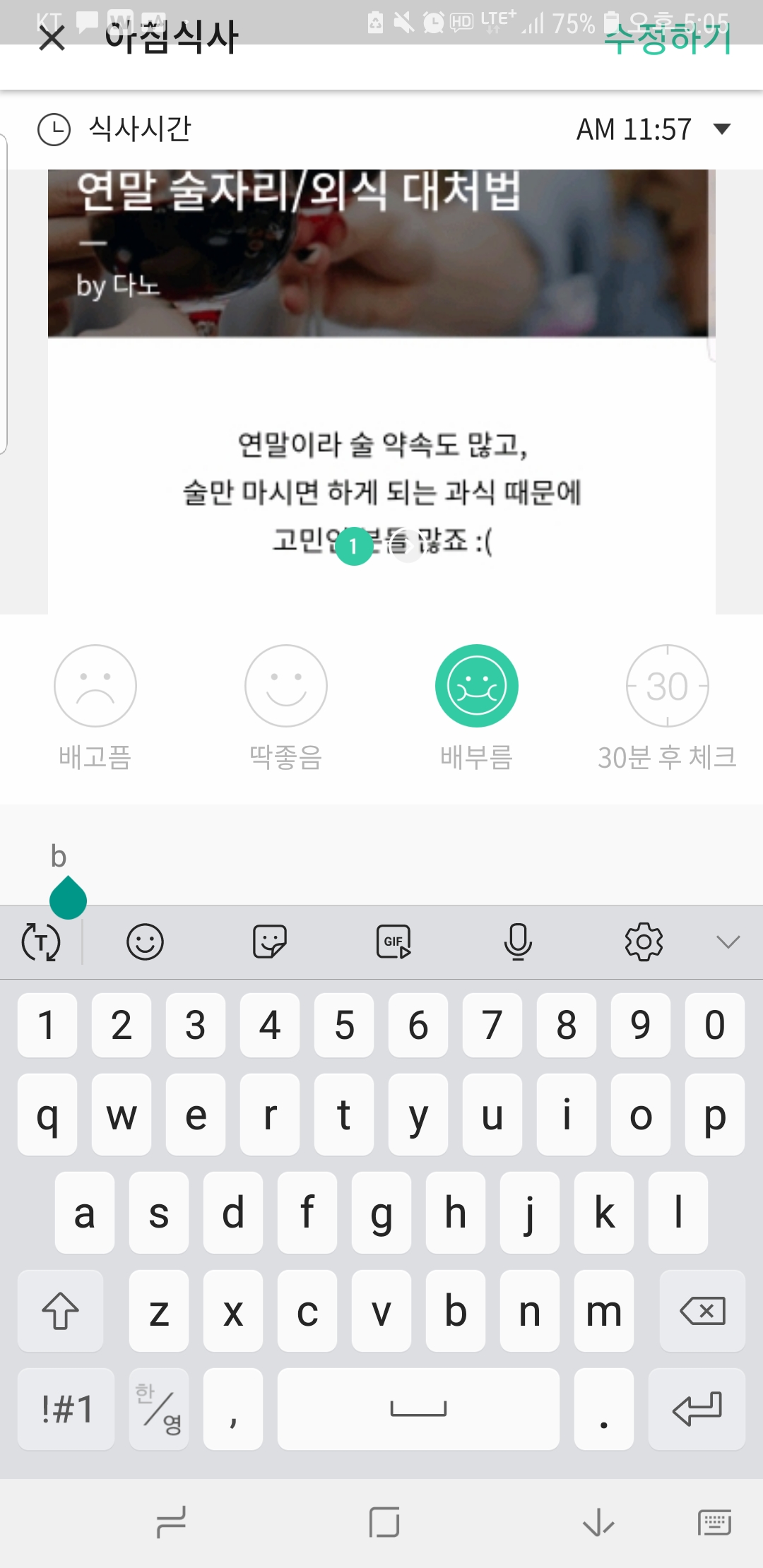
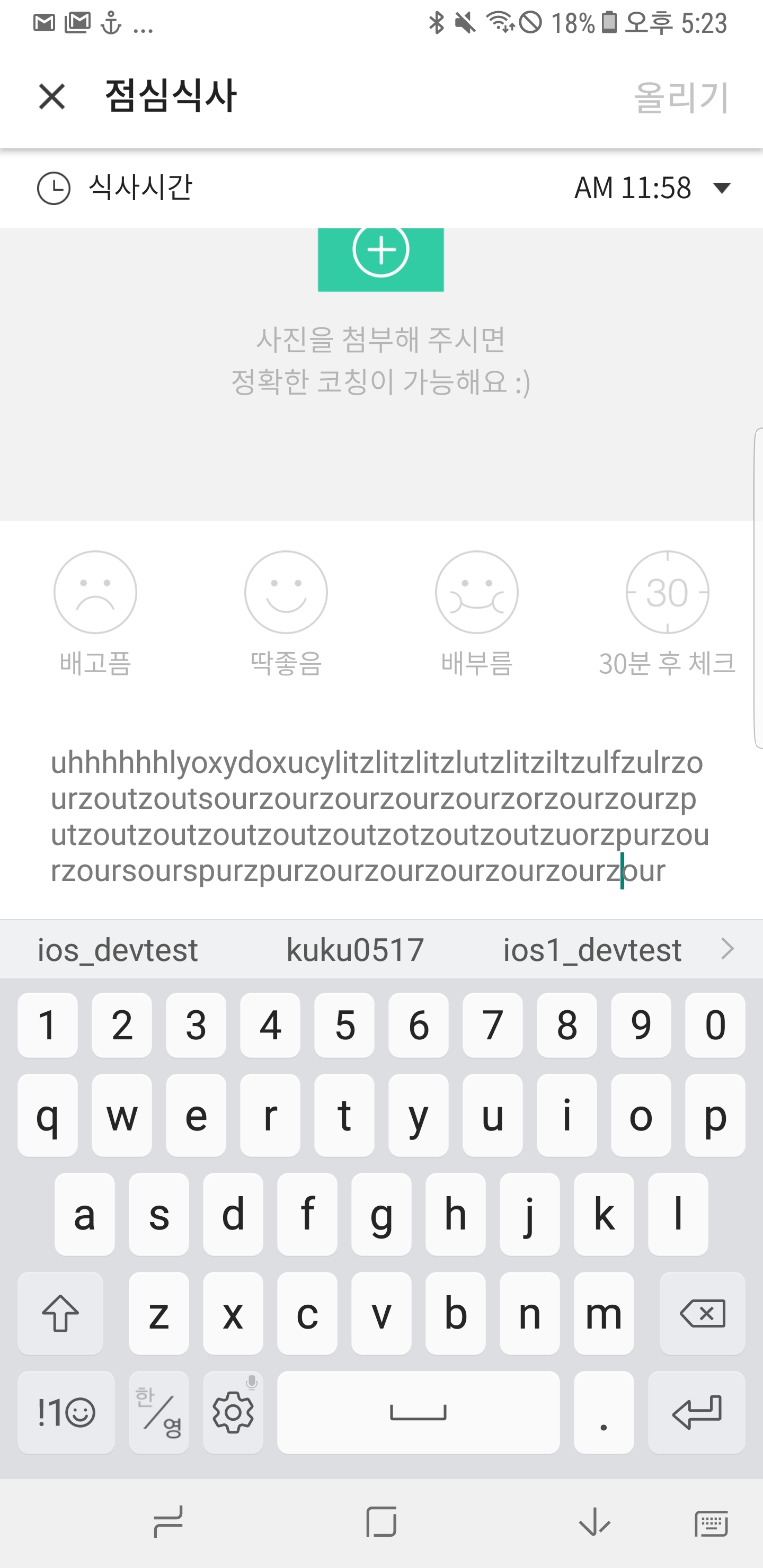
<p>EditText가 있는 View에서 StatusBar영역 이상으로 크기가 조정되는 현상</p>

<p><img src="/assets/181231_edittext_error.jpeg" alt="오류화면" width="250px" /></p>

<h2 id="androidwindowsoftinputmode">android:windowSoftInputMode</h2>
<hr />

<p>보통 <code class="language-plaintext highlighter-rouge">state mode | adjust mode</code> 의 조합으로 설정됨</p>

<p><code class="language-plaintext highlighter-rouge">state mode</code> 는 키보드를 보여줄지 안보여줄지,
<code class="language-plaintext highlighter-rouge">adjust mode</code> 는 UI 사이즈가 어떻게 조정될지 결정한다.</p>

<div class="language-plaintext highlighter-rouge"><div class="highlight"><pre class="highlight"><code>// 진입시 키보드를 보여주면서, 키보드의 영역만큼 UI의 크기가 조정된다.
&lt;activity android:windowSoftInputMode="stateVisible|adjustResize"&gt;
</code></pre></div></div>

<table>
  <thead>
    <tr>
      <th>Value</th>
      <th>Description</th>
    </tr>
  </thead>
  <tbody>
    <tr>
      <td>stateUnspecified</td>
      <td>설정값 없음 ( undefined ). System에서 알아서 적절히 설정하거나 Theme에 영향을 받는다.</td>
    </tr>
    <tr>
      <td>stateUnchanged</td>
      <td>지난 setting 값을 유지한다.</td>
    </tr>
    <tr>
      <td>stateHidden</td>
      <td>activity “진입” 시에 keyboard 를 숨긴다. ( resume으로 돌아오는 경우는 적용되지 않는다. )</td>
    </tr>
    <tr>
      <td>stateVisible</td>
      <td>activity “진입” 시에 특이 사항이 없다면 keyboard 를 보여준다.</td>
    </tr>
    <tr>
      <td>stateAlwaysVisible</td>
      <td>activity “진입” 시에 항상 keyboard 를 보여준다.( resume으로 돌아오는 경우는 적용되지 않는다. )</td>
    </tr>
    <tr>
      <td>adjustUnspecified</td>
      <td>설정값 없음( undefined ). System에서 알아서 mode 설정.여기서 System 설정은 Scroll 가능한 View 를 가지고 있다면 Resize 함.</td>
    </tr>
    <tr>
      <td>adjustResize</td>
      <td>Soft keyboard 공간을 위해 activity 를 resize 한다.</td>
    </tr>
    <tr>
      <td>adjustPan</td>
      <td>Window의 focus를 input focus에 위치하도록 이동하여 보여준다.Typing 하는 동안에는 해당 view 를 볼 수 있지만, 다른 UI 의 시야를 방해할 수 있기 때문에 추천되지는 않는다.</td>
    </tr>
  </tbody>
</table>

<h2 id="resize를-하려면-resize할수있는-view가-있어야-한다-당연하지만">Resize를 하려면 Resize할수있는 View가 있어야 한다 (당연하지만…)</h2>
<hr />

<p>기존엔 NestedScrollView없이 , <code class="language-plaintext highlighter-rouge">adjustPan</code> 옵션만 설정되어 있었음.</p>

<p>그럼 전체 View는 조정되지 않고, EditText에 focus되게끔만 view가 이동이 되어서 statusbar를 가렸던것.</p>

<p>또한 그냥 <code class="language-plaintext highlighter-rouge">adjustResize</code> 만 설정 했을경우, match_parent로 설정되어있는 EditText에  크기가 줄어든다.</p>

<p>EditText에  NestedScrollView안에 배치하여, view가 조정될때 NestedScrollView의 위치가 조정되도록 변경 하였다.</p>

<p><img src="/assets/181231_edittext_error_fixed.jpg" alt="오류화면" width="250px" /></p>]]></content><author><name>고정환</name></author><category term="Android" /><category term="Extra" /><category term="android" /><category term="daily" /><summary type="html"><![CDATA[ISSUES EditText가 있는 View에서 StatusBar영역 이상으로 크기가 조정되는 현상]]></summary></entry><entry><title type="html">(작성중) Dialog windowIsFloating</title><link href="https://kukuku0517.github.io/android/extra/2018/12/28/android-daily.html" rel="alternate" type="text/html" title="(작성중) Dialog windowIsFloating" /><published>2018-12-28T00:00:00+00:00</published><updated>2018-12-28T00:00:00+00:00</updated><id>https://kukuku0517.github.io/android/extra/2018/12/28/android-daily</id><content type="html" xml:base="https://kukuku0517.github.io/android/extra/2018/12/28/android-daily.html"><![CDATA[<h2 id="issues">ISSUES</h2>
<hr />
<p>Dialog에서 width가 예상한대로 설정되지 않는 이슈가 있었다.</p>

<p><img src="/assets/181229_error_screenshot.png" alt="오류화면" width="250px" /></p>

<h2 id="dp-vs-px">DP vs PX</h2>
<hr />
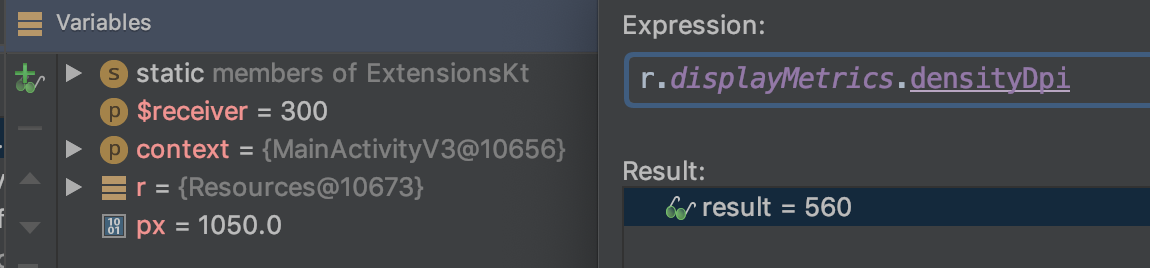
<p>이전부터 디자인팀에서도 제기되었던 노트8의 해상도 문제가 아닐까 싶어서,
아예 Pixel단위로 디버깅을 해보았다.</p>

<ul class="task-list">
  <li>px : 화면을 구성하는 최소 단위. 정사각형 점 하나.</li>
  <li>dp : 픽셀과 무관하게, 모든 화면에서 동일한 크기로 보이게하는 영역의 최소 단위.
    <ul>
      <li>dp와 px의 관계는, 160dpi인 기기를 기준 1dp = 1px이다.</li>
    </ul>
  </li>
  <li>해상도 : 단위 px. 몇개의 픽셀로 가로, 세로가 이루어졌는지 나타내는 수치</li>
  <li>ppi : pixel per inch. 1인치에 몇개의 픽셀이 포함되어있는지. 높을수록 선명.</li>
  <li>
    <p>dpi : dots per inch. 1인치에 몇개의 dot이 포함되어있는지. 높을수록 선명.</p>
  </li>
  <li class="task-list-item">
    <p><input type="checkbox" class="task-list-item-checkbox" disabled="disabled" />Note8은 ppi는 521, dpi는 560. 아니 dpi랑 ppi차이가 뭐임????</p>
  </li>
  <li class="task-list-item">560dpi를 기준으로 정상적으로 계산되고 있음.</li>
</ul>

<p><code class="language-plaintext highlighter-rouge">1050px = 300dp * (560dpi / 160dpi)</code></p>

<p><img src="/assets/181229_pixel_screenshot.png" alt="dp게산" /></p>

<h2 id="wrap_content-vs-match_parent">WRAP_CONTENT vs MATCH_PARENT</h2>
<hr />

<p><a href="https://stackoverflow.com/questions/4606613/combining-wrap-content-on-parent-and-fill-parent-on-child_">Child never asks back for parent size</a></p>

<p>Child View에서 MATCH_PARENT가 먼저 전달되면
Parent에선 아마 길이 조정에 고려대상이 되지 않을것
Parent가 Child를 Wrap하는 최소한의 크기로 결정될듯함.</p>

<ul class="task-list">
  <li class="task-list-item"><input type="checkbox" class="task-list-item-checkbox" disabled="disabled" />테스트해보기</li>
</ul>

<h2 id="theme">Theme</h2>

<h2 id="activitywindowdecorview">Activity/Window/DecorView</h2>
<hr />

<p><a href="https://stackoverflow.com/questions/9451755/what-is-an-android-window">Window란?</a></p>

<p><a href="https://stackoverflow.com/questions/23276847/what-is-an-android-decorview">DecorView란?</a></p>

<p>Activity는 Window를 생성한다</p>

<p>Window는 말 그대로 데스크탑의 윈도우를 생각하면된다. Single Hierarchy View를 지니고 있다</p>

<p>DecorView는 Window의 Single Hierarchy의 RootView라고 볼 수 있다.
DecorView의 배경이 Window의 전체 배경이다.</p>

<h2 id="layoutinspector">LayoutInspector</h2>
<hr />

<p>연결된 ADB의 View를 실시간으로 수치를 관찰할수 있다.</p>

<p><img src="/assets/181229_layout_inspector.png" alt="LayoutInspector" width="250px" /></p>

<p>LayoutInspector를 통해서 살펴보았을때, WRAP_CONTENT로 했을땐 DecorView수치가 더 커져있었고
300dp고정값을 했을땐 DecorView는 정상 수치였지만 더 작게 표현되고 있었음.
–&gt; Dialog CustomView의 영역 밖의 이슈인가?</p>

<h2 id="layoutparams">LayoutParams</h2>
<hr />

<p>View의 property를 결정하는 클래스
XML상에서 추가할 수 있는 property들이라고 생각하면 될것같다.
<code class="language-plaintext highlighter-rouge">ViewGroup.getLayoutParams()</code>로 불러오거나
<code class="language-plaintext highlighter-rouge">new LayoutParams()</code>를 통해서 생성한 후
<code class="language-plaintext highlighter-rouge">requestLayout(), setContentView()</code>등 뷰를 업데이트 해줘야 한다.</p>

<ul class="task-list">
  <li class="task-list-item"><input type="checkbox" class="task-list-item-checkbox" disabled="disabled" />정확히 불려야하는 함수가 어떤것?</li>
</ul>

<div class="language-plaintext highlighter-rouge"><div class="highlight"><pre class="highlight"><code>&lt;TextView
           android:layout_width="wrap_content"
           android:layout_height="wrap_content" /&gt;
</code></pre></div></div>

<p>이는 아래와 동일하다.</p>

<div class="language-plaintext highlighter-rouge"><div class="highlight"><pre class="highlight"><code>TextView tv = new TextView();
tv.setLayoutParams(new ViewGroup.LayoutParams(
    ViewGroup.LayoutParams.WRAP_CONTENT,
    ViewGroup.LayoutParams.WRAP_CONTENT));
</code></pre></div></div>]]></content><author><name>고정환</name></author><category term="Android" /><category term="Extra" /><category term="android" /><category term="daily" /><summary type="html"><![CDATA[ISSUES Dialog에서 width가 예상한대로 설정되지 않는 이슈가 있었다.]]></summary></entry><entry><title type="html">Intent Scheme</title><link href="https://kukuku0517.github.io/android/extra/2018/12/27/android-daily.html" rel="alternate" type="text/html" title="Intent Scheme" /><published>2018-12-27T00:00:00+00:00</published><updated>2018-12-27T00:00:00+00:00</updated><id>https://kukuku0517.github.io/android/extra/2018/12/27/android-daily</id><content type="html" xml:base="https://kukuku0517.github.io/android/extra/2018/12/27/android-daily.html"><![CDATA[<h2 id="issues">ISSUES</h2>
<ul class="task-list">
  <li class="task-list-item">
    <p><input type="checkbox" class="task-list-item-checkbox" disabled="disabled" checked="checked" />Intent Scheme 에 Convention이 정해져있는가?</p>
  </li>
  <li class="task-list-item">
    <p><input type="checkbox" class="task-list-item-checkbox" disabled="disabled" checked="checked" />그렇다면 플랫폼(Android ,IOS, Web … ) 공통인가</p>
  </li>
  <li class="task-list-item">
    <p><input type="checkbox" class="task-list-item-checkbox" disabled="disabled" checked="checked" />아니면 제공 플랫폼(Facebook, Kakao … ) 마다 Extra값이 명시되어 있는가</p>
  </li>
</ul>

<hr />
<h2 id="convention">Convention</h2>

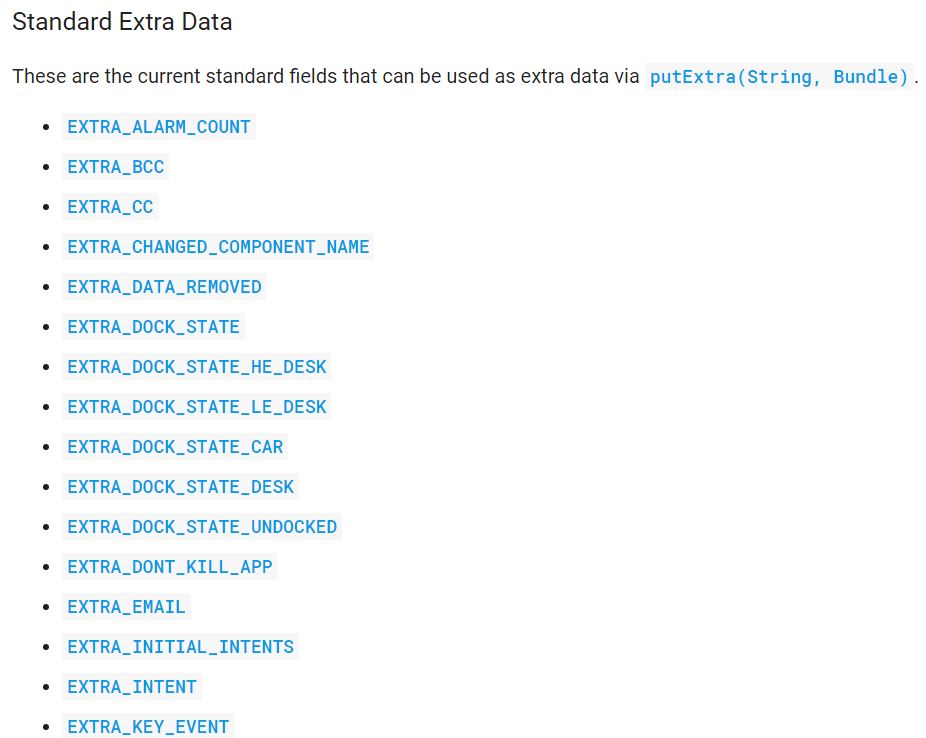
<p><a href="https://developer.android.com/reference/android/content/Intent?hl=ko#standard-extra-data">Intent 공식 문서</a></p>

<ul>
  <li>Standard Extras 가 정해져 있음</li>
</ul>

<p><img src="/assets/181227_standard_intents.JPG" alt="Standard Extras" /></p>
<ul>
  <li>EXTRA_TEXT : 텍스트 (URL도 여기 포함)</li>
  <li>EXTRA_STREAM : 이미지, 영상 등</li>
</ul>

<hr />

<h2 id="client-platform-android-ios">Client Platform (Android, IOS)</h2>

<p>결국 <code class="language-plaintext highlighter-rouge">&amp;{key}={value};</code> 형태라 공통으로 사용될 수도 있음</p>

<p>안드로이드 특정 키:값을 사용하면 플랫폼 고유의 기능을 사용할 수 있음
<code class="language-plaintext highlighter-rouge">ex)action=android.intent.action.VIEW;</code></p>

<hr />
<h2 id="service-platform-facebook-etc">Service Platform (Facebook etc.)</h2>
<p>플랫폼에서 제공해주는 공유 기능을 사용할 경우엔
플랫폼에서 정해놓은 키:값이 넘어오기 때문에, Receiver가 키값을 다 알고있다.
클라이언트를 거쳐 다시 전달만 될 뿐인 것.</p>

<p><code class="language-plaintext highlighter-rouge">kakaolink://send?appkey=APIKEY&amp;appver=1.0&amp;apiver=3.0&amp;linkver=3.5&amp;objs=%
5B%7B%22objtype%22%3A%22label%22%2C%22text%22%3A%22%EC%8A%A4%ED%83%80%EC
%99%80%20%EB%94%94%EC%9E%90%EC%9D%B4%EB%84%88%EC%9D%98%20%EC%8D%B8%26%EC
%8C%88%20%EC%BD%9C%EB%9D%BC%EB%B3%B4%EB%A0%88%EC%9D%B4%EC%85%98%20%ED%8C
%A8%EC%85%98%EC%99%95%20%EC%BD%94%EB%A6%AC%EC%95%84%EC%97%90%20%EC%B4%88
%EB%8C%80%20%ED%95%A9%EB%8B%88%EB%8B%A4.%20%22%7D%2C%7B%22objtype%22%3A%
22image%22%2C%22src%22%3A%22http%3A%2F%2Fbnsfolio.com%2Ffk%2Fimages%2Ffk
_icon_100.png%22%2C%22width%22%3A100%2C%22height%22%3A100%7D%2C%7B%22obj
type%22%3A%22button%22%2C%22text%22%3A%22%ED%8C%A8%EC%85%98%EC%99%95%20%
EC%BD%94%EB%A6%AC%EC%95%84%20(SBS%EA%B3%B5%EC%8B%9D%EC%95%B1)%22%2C%22ac
tion%22%3A%7B%22type%22%3A%22web%22%2C%22url%22%3A%22https%3A%2F%2Fplay.
google.com%2Fstore%2Fapps%2Fdetails%3Fid%3Dcom.xxx.XXXXXX%22%7D%7D%5D</code></p>]]></content><author><name>고정환</name></author><category term="Android" /><category term="Extra" /><category term="android" /><category term="daily" /><summary type="html"><![CDATA[ISSUES Intent Scheme 에 Convention이 정해져있는가?]]></summary></entry></feed>